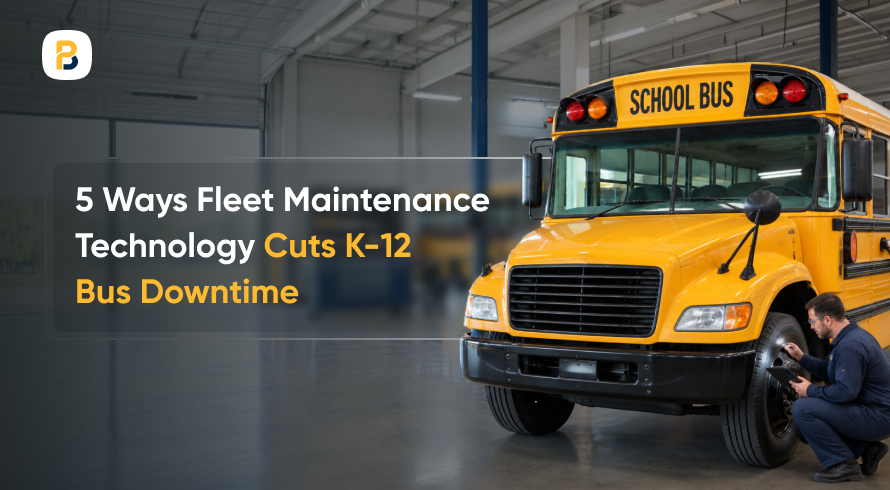
Imagine it is a school morning: a bus will not start, and a route needs a plan in ten minutes. Keeping school buses available for daily service depends on more than responding when something breaks. Transportation teams also have preventive maintenance schedules to manage, driver-reported defects to address, parts to keep on hand, and service histories to maintain across the fleet.
Technology makes those responsibilities easier to track. Mileage and engine-hour triggers flag upcoming service, digital work orders connect defects with repairs, and maintenance records provide a clearer view of each vehicle’s history. The five approaches show where those tools help organize maintenance work and limit avoidable time out of service.
1. Automate Preventive Maintenance Scheduling

Preventive maintenance works best when service follows a defined schedule. Mileage, time, manufacturer guidance, and inspection requirements can all determine when a bus needs attention.
- Set Service Triggers: Schedule recurring maintenance by mileage, engine hours, or calendar date based on each vehicle’s requirements. FMCSA guidance similarly describes systematic maintenance as a regular or scheduled program, with intervals determined for the fleet or individual vehicle.
- Turn Upcoming Service Into Work Orders: When a maintenance interval approaches, the system creates or flags the work that needs to be scheduled, giving technicians visibility into upcoming inspections and service.
- Coordinate Maintenance With Bus Availability: Use school bus fleet management software to keep maintenance schedules alongside vehicle records and availability, making it easier to plan shop time around buses needed for daily service.
2. Manage Work Orders Digitally
A work order connects a reported defect with the inspection, repair, parts, and labor needed to return a bus to service. Keeping that process digital creates a searchable record of what was reported, completed, and remains open.
- Connect Defect Reports to Repairs: When a driver reports an issue during a pre-trip or post-trip inspection, the maintenance team can create a work order and track it through completion.
- Keep Maintenance History by Vehicle: Store completed work orders, repairs, parts used, and service dates against each bus so technicians have previous work to reference when future maintenance is needed.
- Keep Records Easy to Retrieve: Digital school bus maintenance records make it easier to locate inspection and repair history when staff need to review previous work or provide maintenance documentation.
3. Connect Vehicle Health Data With Maintenance

Telematics gives transportation teams information about a bus beyond its location. Depending on the vehicle and system, that can include mileage, engine hours, vehicle alerts, and other operating data. Connecting that information with maintenance records gives technicians more context when identifying vehicles that need attention.
- Review Vehicle Alerts: Onboard vehicle data can flag conditions that need investigation. Technicians can assess the issue and determine whether the bus needs service.
- Use Vehicle Data to Support Service Scheduling: Mileage and engine-hour data collected through telematics can support preventive maintenance intervals without requiring staff to update those readings separately.
- Locate Buses That Need Roadside Support: When a bus has a mechanical issue during a run, GPS data gives dispatch its location and helps the team coordinate the appropriate response.
4. Automate Parts Inventory Tracking
A bus may be ready for repair while the part it needs is not. Connecting parts inventory with maintenance records helps shop staff see what is available, what has been used, and what needs to be reordered.
- Set Reorder Thresholds: Track commonly used parts such as filters, belts, and brake components and set minimum stock levels for items the shop wants to keep on hand.
- Organize Parts by Vehicle: A centralized student transportation platform can keep fleet information in one place, making it easier to connect parts and maintenance records with the vehicles they support.
- Track Parts Usage and Cost: Record parts used on each bus and work order. Over time, that history provides a clearer picture of maintenance spending by vehicle and can support replacement planning.
5. Track Fleet Performance Over Time
Individual work orders show what happened to one bus. Looking at maintenance records across the fleet helps transportation teams see broader patterns, including which vehicles spend more time out of service, require repeated repairs, or account for higher maintenance costs.
That history becomes especially useful when teams are planning future maintenance work and evaluating when a vehicle may be approaching replacement.
- Track Downtime by Vehicle: Record how long each bus is unavailable and the maintenance work associated with that downtime. Comparing records over time can identify vehicles requiring more frequent shop attention.
- Review Maintenance Costs Over the Vehicle Lifecycle: Bring together labor, parts, repairs, and service history to understand how maintenance needs change as a bus ages and provide context for repair and replacement decisions.
- Look for Fleet-Wide Trends: Review maintenance history for recurring repair categories, changes in downtime, or patterns among similar buses. Including these trends in routine fleet maintenance checks keeps vehicle needs visible over time.
Keep More Buses Ready for the Road
Reducing bus downtime starts with giving maintenance teams a clearer view of what each vehicle needs and when it needs attention. Technology does not replace the judgment of technicians or transportation staff, but it gives them easier access to the records behind their maintenance decisions.
Preventive maintenance schedules, work orders, vehicle data, parts records, and maintenance history help staff plan shop work before smaller issues affect bus availability. If those records sit in separate places today, BusPlanner’s fleet maintenance tools bring them together with routing and vehicle data.
Frequently Asked Questions
Q1. How does fleet maintenance technology reduce K-12 bus downtime?
Fleet maintenance technology helps teams keep track of upcoming service, reported defects, repair work, parts, and vehicle history in one place. That visibility makes it easier to schedule maintenance, follow open work orders, and identify buses that may need additional attention.
Q2. What is the difference between preventive and predictive maintenance?
Preventive maintenance follows scheduled intervals based on factors such as mileage, engine hours, time, and manufacturer requirements. Predictive maintenance uses vehicle condition and operating data to help identify when a component may need attention. Both approaches can support maintenance planning, but they use different information to determine when service is needed.
Q3. How can GPS and telematics data support fleet maintenance?
Depending on the system, telematics can provide mileage, engine hours, vehicle alerts, and other operating data that maintenance teams can use alongside service records. GPS also provides vehicle location when a bus needs support on the road, helping dispatch coordinate the response.