1. Start With the Ride Requirements in Each IEP

- Maximum Ride Time: Record any limit written into a plan beside the student’s route assignment, so routing staff see it whenever they build or change a run.
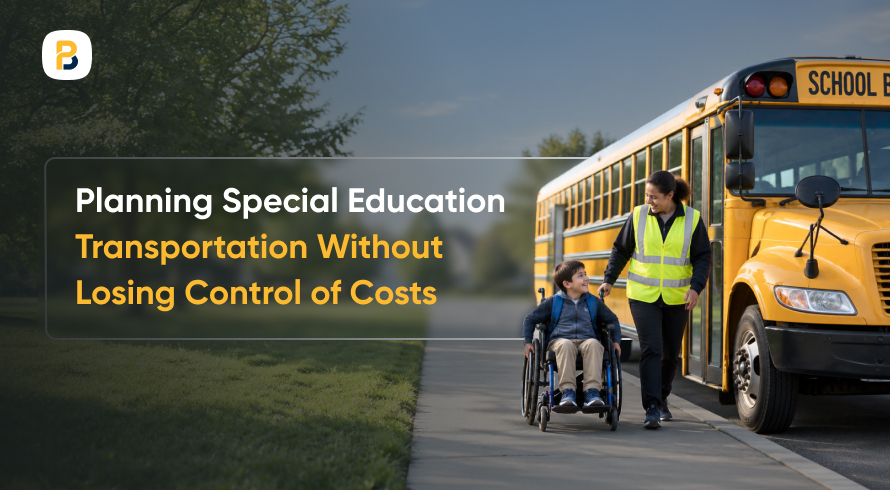
- Equipment and Aide Needs: Note the lift, securement system, safety vest, or monitor a student requires, since each one affects loading time and which vehicle can take the student.
- Special Education Contact: Name one person in the special education office who confirms plan changes, so routing never works from an outdated copy.
2. Build Runs Around Where Students Live
- Mixed Loads Where Vehicles Allow: When the plan and the vehicle permit it, a student can ride a nearby general-education run that has a lift position, which removes a separate trip.
- Neighborhood Clusters: Sequence pickups so a vehicle works one area before moving to the next, instead of following a list organized by destination building. Route optimization in BusPlanner Pro can help test that kind of stop order before it reaches a driver.
- Bell Time Gaps: A small bell-time change at one building may let a single vehicle cover a second run, which removes a stacked run that stretches rides.
- Cost of an Added Run: When no other change shortens a long ride, weigh the cost of an added run against the minutes it saves before taking the request to the board, and an ROI calculator can help frame that comparison.
3. Plan Loading Time Into Every Stop
- Equipment-Specific Time Allowances: Give stops that use a lift or securement a time based on what drivers report, so the schedule matches the work.
- Pickup Location and Curb Access: Move a stop when the curb, driveway, or slope slows loading, after checking whether the plan calls for door-to-door service.
- Sequence for Time-Limited Riders: On the morning run, place students with a ride-time limit near the school end of the route when the geography permits.
- Driver and Aide Input: Drivers and aides usually know which stops regularly run past the scheduled time before the data does, so ask them.
4. Measure Actual Ride Times Against the Plan

Routing systems produce the planned ride time, but only GPS history shows how long a student actually sits on the bus. Reliable GPS history here means timestamps and location records that stay tied to the correct vehicle and route, including on days a spare bus runs. BusPlanner’s GPS platform keeps real-time and historical vehicle tracking alongside planned and actual route analysis.
- Time on Board per Student: Calculate each rider’s trip from boarding to drop-off across a stretch of regular school days and compare it with the limit in the plan.
- Substitute Vehicle Gaps: When a spare bus or substitute driver covers a run, confirm the GPS record still links to the right route, since a mismatch makes that day’s ride times unusable.
- Actual Versus Scheduled Stop Times: Reviewing planned vs. actual route data stop by stop shows which stops run long and by how many minutes, so routing staff know where to adjust first.
- Weather and Traffic Outliers: Set aside rides affected by storms or road closures so one bad day does not drive a permanent route change.
5. Keep Assignments Current as Plans Change
- One Path for Changes: Discuss with the special education office on how plan changes reach routing, such as a shared form or a standing email, and who confirms receipt.
- Substitute Driver Briefings: Put the stops where the lift is used, aide assignments, and time-limited riders on the route sheet a substitute receives, so the stop order holds when the regular driver is out.
- Recheck After Each Change: Review a run’s ride times whenever a rider is added or removed, because one new stop can lengthen the trip for students already aboard.
- Student-Level Needs on the Record: Keep equipment and aide requirements with the assignment itself, the kind of detail covered in student transportation software that makes education accessible.
Let the Ride Data Show Where to Start
Frequently Asked Questions
Q1. Who decides whether a student needs a lift-equipped vehicle or an aide on the bus?
The IEP team makes that call and writes it into the plan. The team includes parents, teachers, special education staff, and a district representative, and school transportation staff may be invited when the bus needs are complicated.
Q2. What counts as a ride-time outlier?
An outlier is a trip well outside a student's usual ride, such as a day with a storm detour or a substitute bus. Note it on the run record so planners can set it aside without losing it.
Q3. How should a district respond when a family complains about a long ride?
Compare the student's recorded rides on regular school days with any limit in the plan before replying. If the record shows rides over the limit, send it to routing and the special education office together so a single fix covers both the plan and the run.
Q4. What is the difference between a mixed run and a dedicated run?
A dedicated run carries only students with disabilities, often to one program. A mixed run carries them with general-education riders, which depends on available lift positions and on what each student's plan allows.