Any sort of behavioral disturbance on a school bus pulls the driver’s attention off the road, whether it is a fight, a running argument, or students out of their seats. On a run without a bus aide, the driver is the only adult on board. Each incident then returns to the department as a conduct report to file, a parent call to answer, and a follow-up with the school.
Student transportation management records already hold relevant data points for spotting patterns in school bus behavior incidents, from route sheets and seat assignments to Global Positioning System (GPS) history.
The five practices below start with the driver’s report. From there, they cover the GPS and ridership data around each incident, substitute coverage, and summaries for principals.
1. Record Every Incident in the Same Format
Conflicts on a school bus reach the principal through the driver’s conduct report, so the follow-up depends on it. A complete report names the run, the students involved, the time, and where the bus was when the trouble started. Free-text write-ups can leave the run or time blank, which makes the report hard to tie to GPS data.
- Required Fields on One Form: Whether the form lives on paper or in workflow management tools for student transportation, the district decides which fields must be complete before a report is accepted. Run number, bus number, and time belong on that list.
- Where Students Were Sitting: A rough location, such as the front rows or the back seats, shows whether incidents keep starting in the same part of the bus.
- Agreed Filing Deadline: Settle on a deadline with drivers, such as the end of the shift, so the account is written while the run is still fresh.
2. Pinpoint When & Where School Bus Behavior Breaks Down
Once a conduct report carries a run number and a time, routing or dispatch staff can line it up with the GPS history for that run and see where the bus was. Reports gathered over several weeks show whether incidents keep happening on particular stretches of a school bus route.
- Minutes Into the Run: Note how far into the run each incident started. When reports cluster near the end of a long ride, that run belongs on the routing team’s list for reducing ride times, where stop order and tier timing get a second look.
- Boarding Stop for Each Student: Record the stop where each student in a report boards. Several reports involving riders from one stop give the driver and routing staff reason to talk through seating for that group.
- Time Spent Sitting Still: Check GPS history for long stationary periods mid-run, such as a wait in the drop-off loop or a hold at a rail crossing. Incidents that line up with those waits point to a schedule question as much as a seating one.
3. Compare Planned Loads With Actual Riders
Seating plans hold up only when the students on the bus are the students on the roster. Actual ridership, meaning the students who board a school bus run on a given day as recorded by scans or driver counts, shows when a run carries riders it was not planned for.
- Riders Missing From the Roster: Students who board at a friend’s stop or ride an unassigned bus won’t appear on the driver’s seating chart. Listing those names gives routing staff assignments to confirm with the school office.
- Loads Above the Planned Count: Watch for days when the count runs over the planned load and students end up three to a seat. Student ridership tracking built on actual counts gives routing staff a basis for moving a stop or splitting the load.
- Charts That Match the Day: Rebuild the seating chart whenever the rider list changes, so the driver isn’t assigning seats to students who no longer ride.
4. Hand Substitute Drivers the Seating Plan
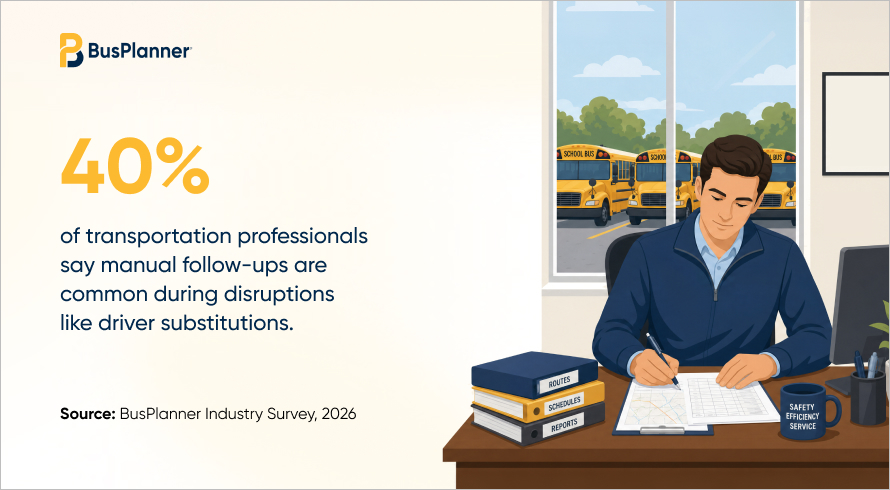
A substitute school bus driver who arrives without the seating chart or behavior notes has to manage the riders while learning an unfamiliar route. Dispatch already makes the sub assignment, so those notes can travel with it instead of depending on a phone call before the run.
- Seating Chart in the Sub Packet: Keep the current chart with the route sheet the sub picks up, and replace it whenever the regular driver changes seats.
- Notes a Sub Can Follow: Ask regular drivers to write down which students need to sit up front or apart. Limit the notes to what a driver needs on the run, since they concern individual students.
- Who Drove Each Route: Track the driver on every run each day, whether in school bus dispatch software or the department’s own log. Staff can then compare incidents from sub days with the regular driver’s days on the same run.
5. Share Run-Level Patterns With Principals
Student discipline belongs to the principal, who handles each school bus referral as it comes in. A summary from the student transportation office, sorted by run and stop, shows whether the same run or group of riders keeps coming up, so both offices can plan a response together.
- Incidents Grouped by Run: Send each principal one page per run that lists each incident with its time and GPS location, instead of a stack of separate forms.
- Changes Agreed on Together: When the principal and the department settle on a change, such as assigned seats or moving a student to another run, routing staff update the route sheet and the driver’s chart to match. Later reports on that run show whether the change held.
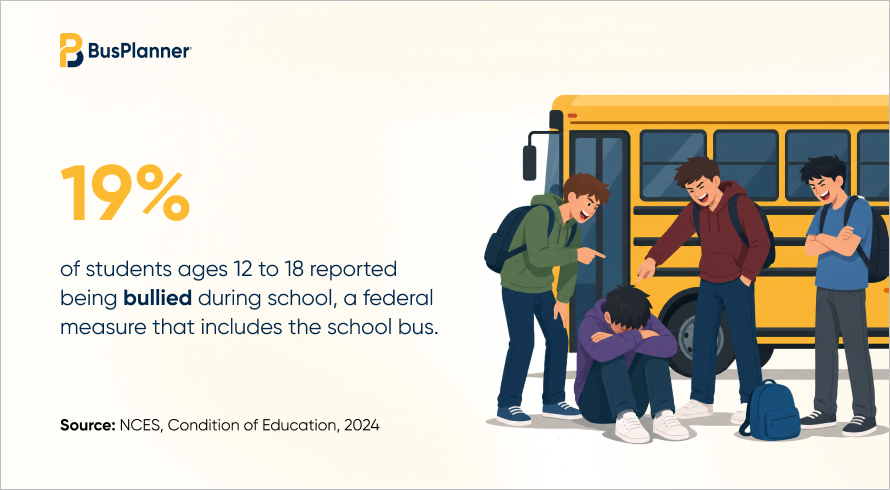
- Prevention Guidance Both Offices Can Use: StopBullying.gov, run by the U.S. Department of Health and Human Services, publishes bullying prevention guidance that gives the school and the department a common reference.
Key Takeaways: Behavior Data Starts With the Run
None of these records replaces the driver’s judgment on the bus or the principal’s decision about consequences. What they add is a way to connect one incident to the next, so a pattern on a single run shows up in the reports instead of in repeated parent calls.
One report form with required run numbers and a per-run summary for each principal give the department a working base. Routing and dispatch staff can add GPS and ridership checks once the reports build up.
Frequently Asked Questions
Q1. Who should check a school bus conduct report before it goes to the principal?
Responsibility varies by district, but someone in dispatch or the student transportation office usually confirms that the run number, bus number, and time are filled in. Catching a blank field at that point means the report can still be tied to GPS history for the run.
Q2. How often should incident reports be compared with GPS history?
A check whenever a run collects repeat reports catches problems on one route. A regular pass across all runs, timed to the district's own reporting cycle, shows patterns spread across several routes.
Q3. How can a district find students riding a bus they are not assigned to?
Comparing boarding scans or driver counts with student assignments shows names that appear on a run without being assigned to it. Routing staff can then confirm the correct assignment with the school office and update the driver's seating chart.
Q4. Can behavior notes be shared with a substitute school bus driver?
Rules on sharing student information vary by state and district, so the district's privacy or legal office should confirm what a substitute can see. Keeping the notes to seating and safety instructions for that run limits them to what the driver needs.