Learning all the information can be a daunting task for new drivers. Beyond learning the stop sequence, they need to understand school arrival and dismissal procedures, roadway conditions, bell times, and route-specific instructions that are not always obvious from a map.
A route sheet or navigation screen provides the basic plan, but it cannot replace familiarity with the run. Preparing a driver before their first trip gives them time to review unfamiliar stops and identify parts of the route that need extra attention.
The four steps below cover what a new driver should know and practice before taking an unfamiliar route into service.
1. Schedule a Structured Dry Run Before Day One

A route familiarization run gives a new driver a chance to see the roads, stops, and school approaches before students are on board. The driver can identify where additional attention is needed and ask questions before taking the run into service.
- Drive the Route Under Similar Conditions: When scheduling allows, complete the familiarization run around the same time as the actual route. Traffic, school-zone activity, visibility, and sun glare differ between morning or afternoon service and the middle of the day.
- Review Stops and Key Route Hazards: Pay particular attention to railroad crossings, tight turns, steep grades, limited-clearance areas, turnaround points, and stops with restricted sight distance. The driver should also know where students are expected to load and unload.
- Keep Route-Specific Notes Available: Record details that are not obvious from turn-by-turn directions, such as school entrance procedures, designated turnarounds, or roadway restrictions.
Keeping stops, turns, and run details current in school bus route planning software gives the driver a reliable plan to learn from before the first trip.
2. Give the Driver the Route Details They Need
A stop list gives a new driver the basic sequence, but an unfamiliar run includes details that addresses alone do not show. Make sure the route sheet and other driver materials reflect the current stops, students, times, and instructions.
- Organize the Student List by Stop: Give the driver the student information they are authorized to use, organized in route order. Include required transportation instructions or accommodations without adding unrelated personal details.
- Include Stop and School Instructions: Note where the bus should stage, which entrance or loading zone to use, how students are released, and any site-specific arrival or dismissal procedures the driver needs to follow.
- Make the Schedule Clear: Include stop times, applicable bell times, and known variations to the driver’s assignment. Early-dismissal days or different afternoon sequences should be reflected in the route materials.
3. Move the Route onto the Driver's Tablet
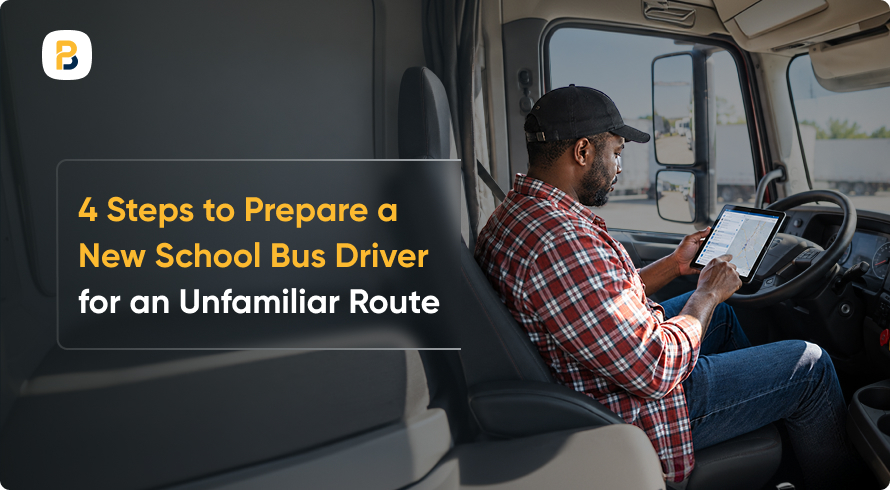
Knowing the route and following it during service are two different things. Before the bus leaves the yard, the driver should have the assignment, stop sequence, directions, and any route changes available on the device.
- Use Route-Specific Turn-by-Turn Navigation: Navigation should follow the planned run and stop sequence instead of generating standard point-to-point directions. FMCSA recommends setting up electronic navigation before the trip and continuing to follow posted roadway signs and restrictions.
- Push Same-Day Changes Straight to the Driver: If a stop changes or a road closes, the updated run should reach the driver’s tablet without relying on a mid-route phone call or separate paper copy.
- Give the Driver a Direct Line to Dispatch: When road conditions differ from the route shown on the screen, the driver should know how to reach dispatch for direction.
BusPlanner’s turn-by-turn driver app keeps the assigned run, stop sequence, and directions
4. Have Dispatch Check in During the Driver’s First Runs

A new driver can know the route on paper and still encounter questions once students are on board. During the first few runs, dispatch should know the driver is new to the assignment and be ready to respond when conditions do not match the plan.
- Check In Before the Run: Confirm that the driver has the correct run, vehicle assignment, student list, and route changes for that day.
- Keep Dispatch Visibility During the Run: Where GPS is available, operations staff can use school bus dispatch tools to monitor vehicle location and route progress. If the driver reports a missed turn, blocked road, or inaccessible stop, dispatch has the context needed to determine the next step.
- Debrief After the Run: Ask what was unclear, which stops or turns need another review, and whether details were missing. Document corrections so the route sheet and driver directions are ready for the next run.
Prepare the Driver Before the First Run
An unfamiliar route becomes easier to manage when the driver has already seen the roads, reviewed the stops, and knows what to expect. Route familiarization, current driver materials, turn-by-turn navigation, and dispatch support each cover a different part of that preparation.
When a driver identifies an unclear turnaround, outdated stop instruction, or missing school approach detail, update the route materials so that information is available to the next driver.
A well-prepared driver starts the run with the route details and support they need to focus on the job ahead.
Frequently Asked Questions
What Should a New School Bus Driver Review Before Their First Run?
The driver should review the stop sequence, student list, bell times, school arrival and dismissal procedures, turnaround points, roadway restrictions, and any recent route changes. They should also know how to contact dispatch if conditions do not match the route plan.
Should a Driver Complete a Dry Run Without Students on Board?
When scheduling allows, a familiarization run without students gives the driver time to review stops, turns, school approaches, and potential hazards without managing loading and unloading at the same time. Completing it under conditions similar to the actual run can also help the driver anticipate traffic, visibility, and school-zone activity.
How Can Dispatch Support a Driver on an Unfamiliar Route?
Dispatch can confirm the driver’s assignment before departure, monitor route progress where GPS is available, and respond when the driver encounters a blocked road, missed turn, or inaccessible stop. A short debrief afterward also helps transportation staff correct route materials before the next run.